Reporting
See student progress, learning gaps, and actionable teaching insights
Spark's reporting is built to answer one question: "What should I do with my next hour of teaching time?"
It shows you which students and which concepts need attention, instead of just showing you vanity graphs.
insights Live quiz reports
When you run a quiz in class, Spark shows you a live report as answers come in - per-student progress and per-question breakdowns you can use immediately to decide what to revisit.
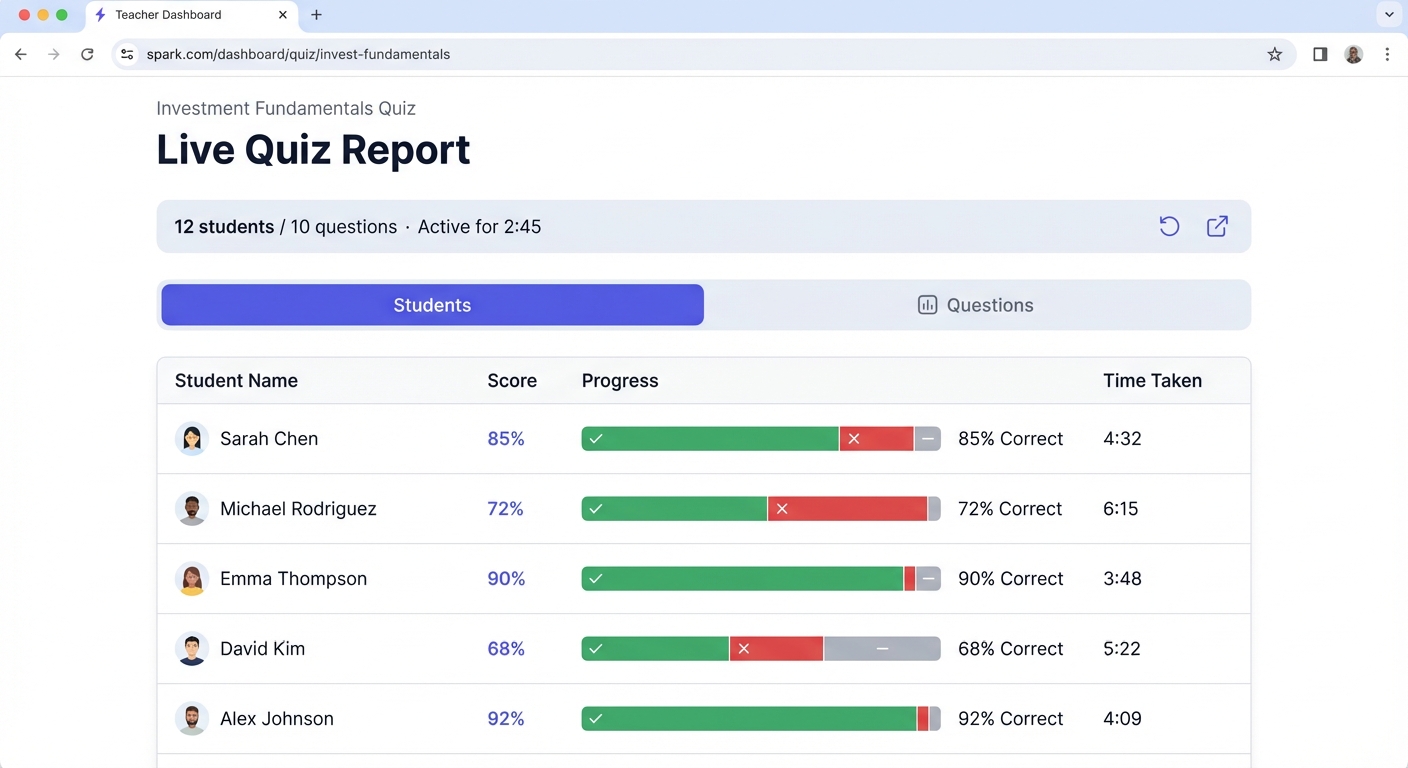
Live quiz dashboard
Real-time view of student progress and question-level insights as answers come in.
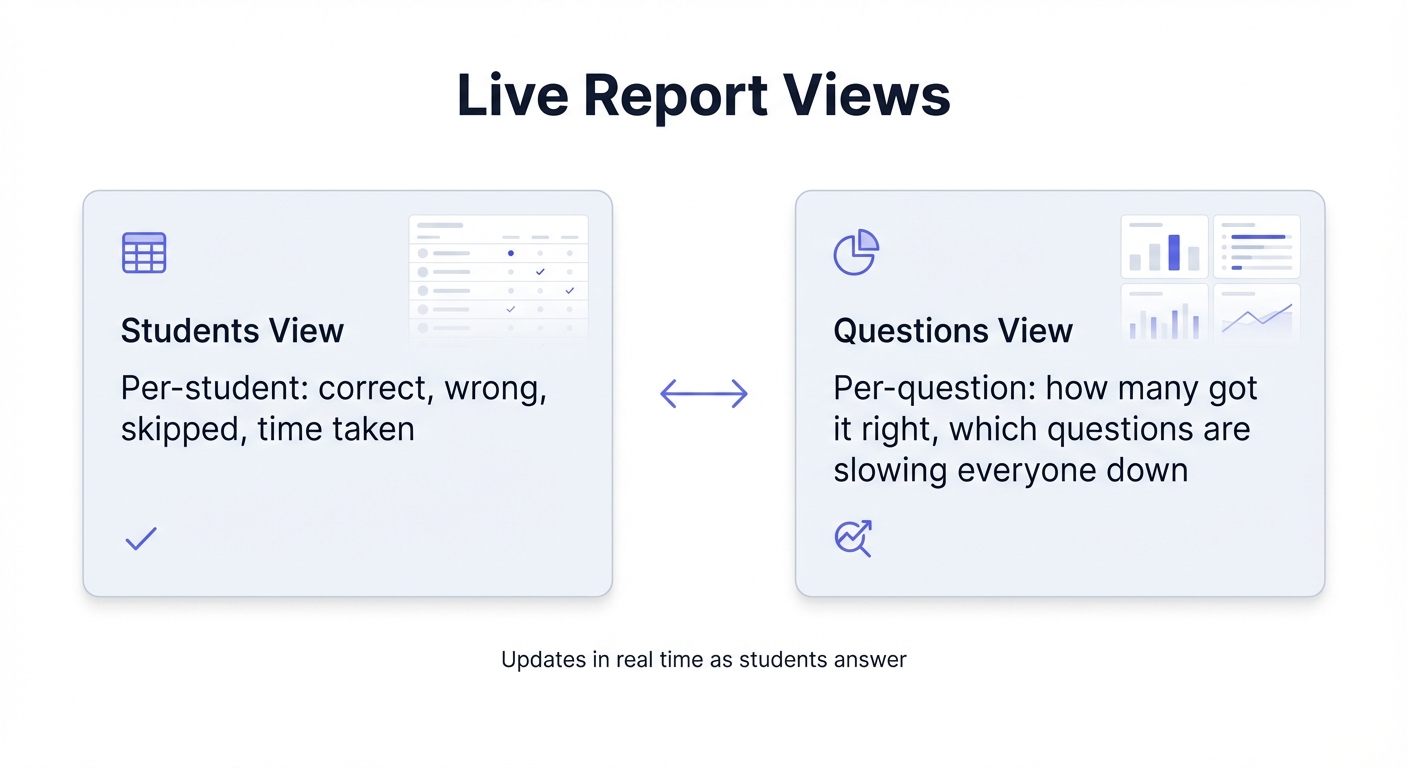
Dual view system
Switch between per-student and per-question views to see where the class is stuck.
Tap an image to view it full screen.
-
check_circle
Per-student view: correct, wrong, skipped, total questions, and time taken.
-
check_circle
Per-question view: how many got it right, which questions are slowing everyone down.
-
check_circle
Updates in real time - see where the group is stuck while there's still time to fix it.
trending_up Per-student progress over time
Spark captures rich quiz data and gives you a simple, longitudinal view per student: timeline of quizzes, topic-level strengths and weak spots, and plain-language suggestions for what to focus on next.
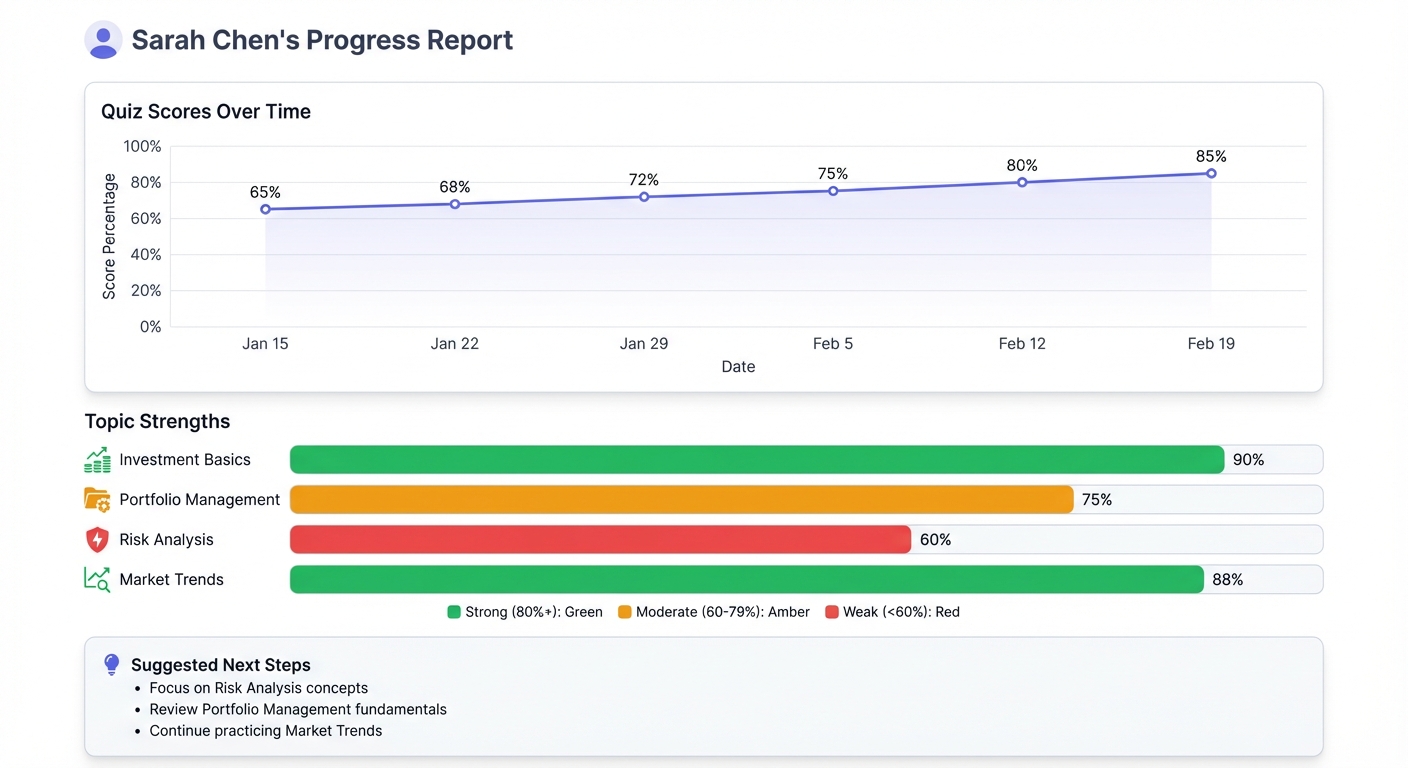
Student progress view
Timeline of quizzes, topic-level insights, and plain-language suggestions for what to focus on next.
Tap the image to view it full screen.
-
check_circle
Timeline of quizzes taken, with scores and completion times.
-
check_circle
Topic-level view of strengths and weak spots across your subjects.
-
check_circle
Plain-language suggestions like "Focus on Risk Analysis" or "Review Portfolio Management fundamentals".
psychology Turning data into concrete teaching decisions
All of Spark's reporting feeds back into how you run your next class. Start with a short quiz, use the live report to decide whether to revise or move on, and spot questions nearly everyone got wrong to re-teach with new examples.
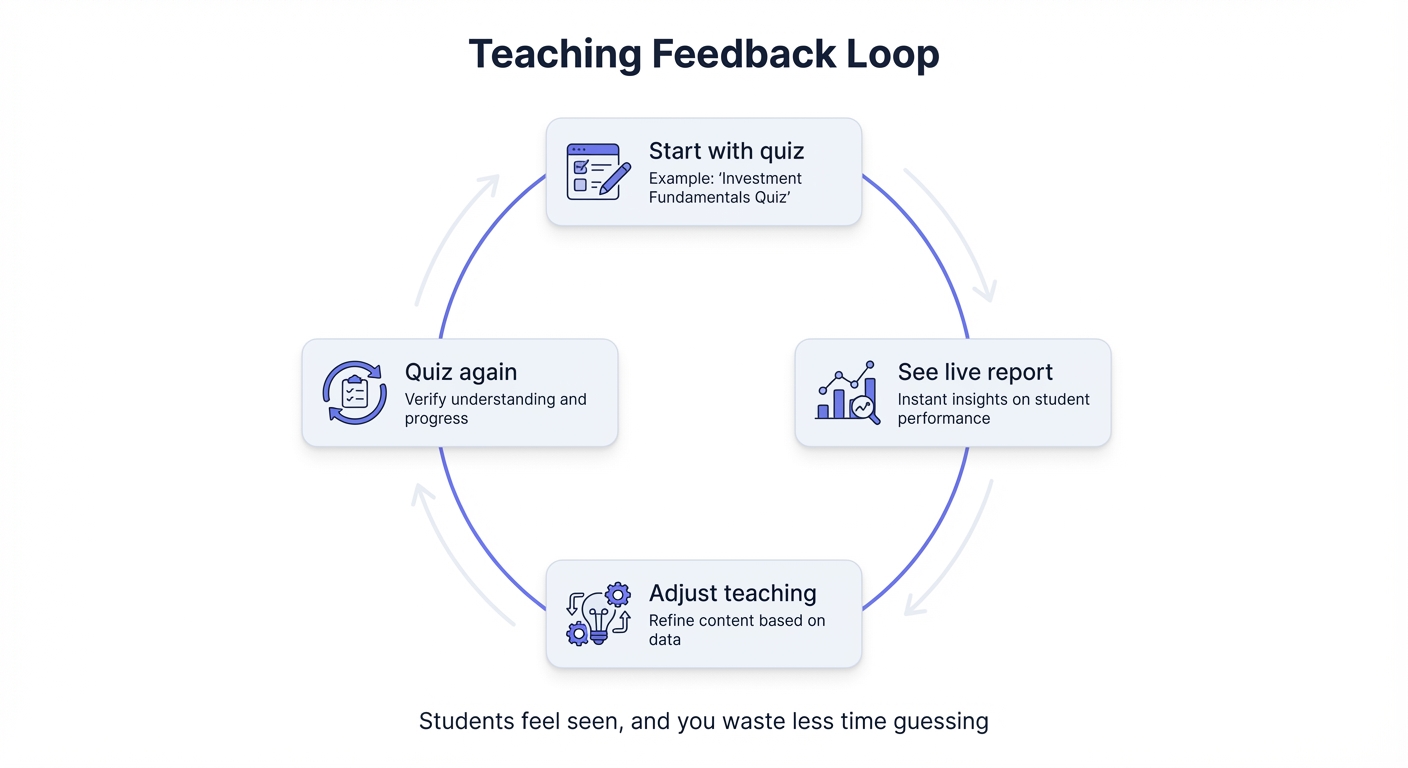
Teaching feedback loop
Quiz → see where the class really is → adjust → quiz again. Students feel seen, and you waste less time guessing.
Tap the image to view it full screen.
-
check_circle
Start each session with a short quiz, then use the live report to decide whether to revise or move on.
-
check_circle
Spot questions nearly everyone got wrong and re-teach those ideas with new examples.
-
check_circle
Encourage students to review their attempts and ask the course tutor about questions they missed.